
For me, deleting large volumes of data with pre-filtering has always been a major headache because this operation could be quite costly.
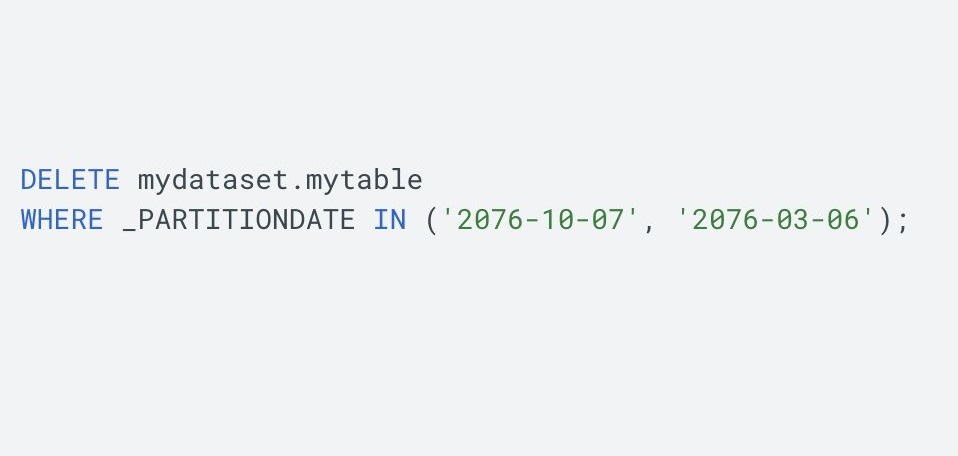
And here's some great news from the BigQuery development team (and as always, a special thanks to Axel Thevenot for highlighting the update). Now you can delete entire partitions without spending a byte or a cent on it!
To do this, you need to specify the partition boundaries for deletion in the query filter. That's it!
However, some queries with the following characteristics may not benefit from the optimization:
1. Partial partition coverage.
2. References to non-partitioning columns.
3. Recently ingested data through the BigQuery Storage Write API or the legacy streaming API.
4. Filters with subqueries or unsupported predicates.
If you work with GA4 to BigQuery exports, be sure to check out my SQL cheat sheet.
Want a stronger data analyst role or a raise? Grab the FREE Product Analyst Playbook and get the exact roadmap to your next offer.