
The answer is quite simple.
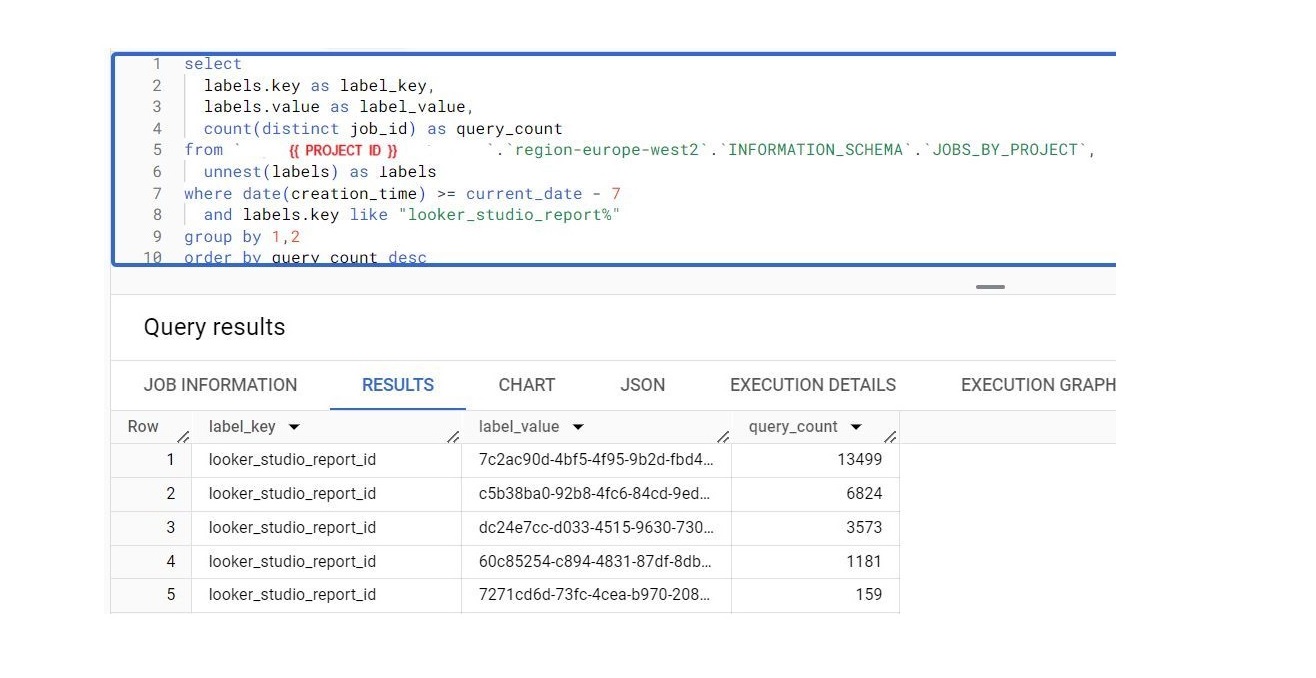
You can identify the most popular reports from Looker Studio directly in the BigQuery console.
This insight comes from Tim Hiebenthal.
Getting the report ID from Looker Studio is straightforward – a standard query from the Job's Table in the information schema.
This way, you can track which reports generate the most queries, and more importantly, stay informed about new reports and visit them.
Enjoy!
If you work with GA4 to BigQuery exports, be sure to check out my SQL cheat sheet.
Want a stronger data analyst role or a raise? Grab the FREE Product Analyst Playbook and get the exact roadmap to your next offer.